

Overview
Show notes are the companion text that accompanies your podcast episode, typically a summary, notable moments, and chapter markers for listeners to navigate. In Henshu, show notes are built from a template of components that you configure per show. Some components are AI-generated from your transcripts, while others are static sections you write once and reuse across episodes.How do I generate show notes?
- Make sure your audio files are transcribed. Show notes generation uses your transcripts as input.
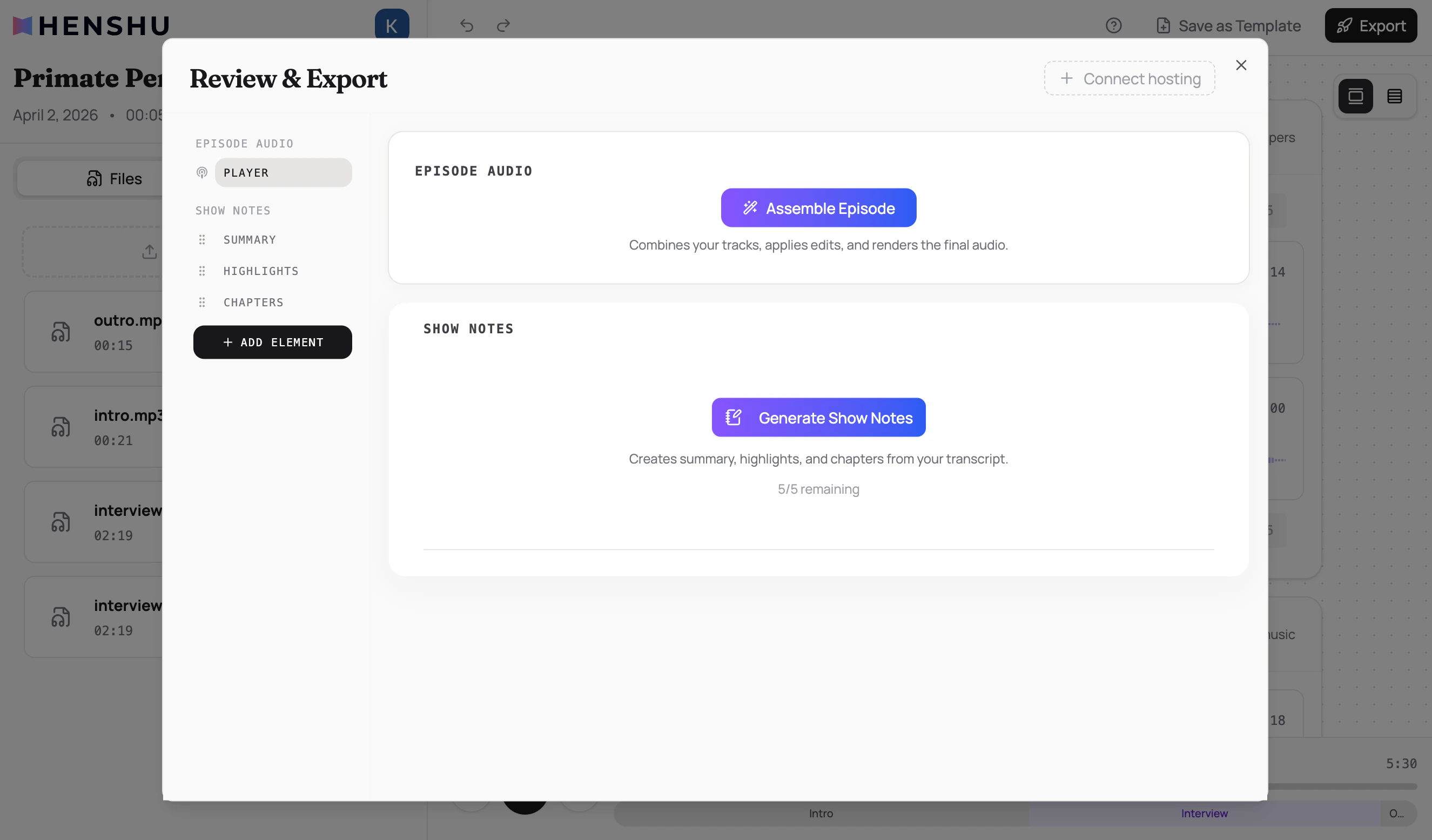
- Click Export in the top-right corner of the editor
- Click Generate Show Notes
- Review and edit the generated content as needed
What gets generated?
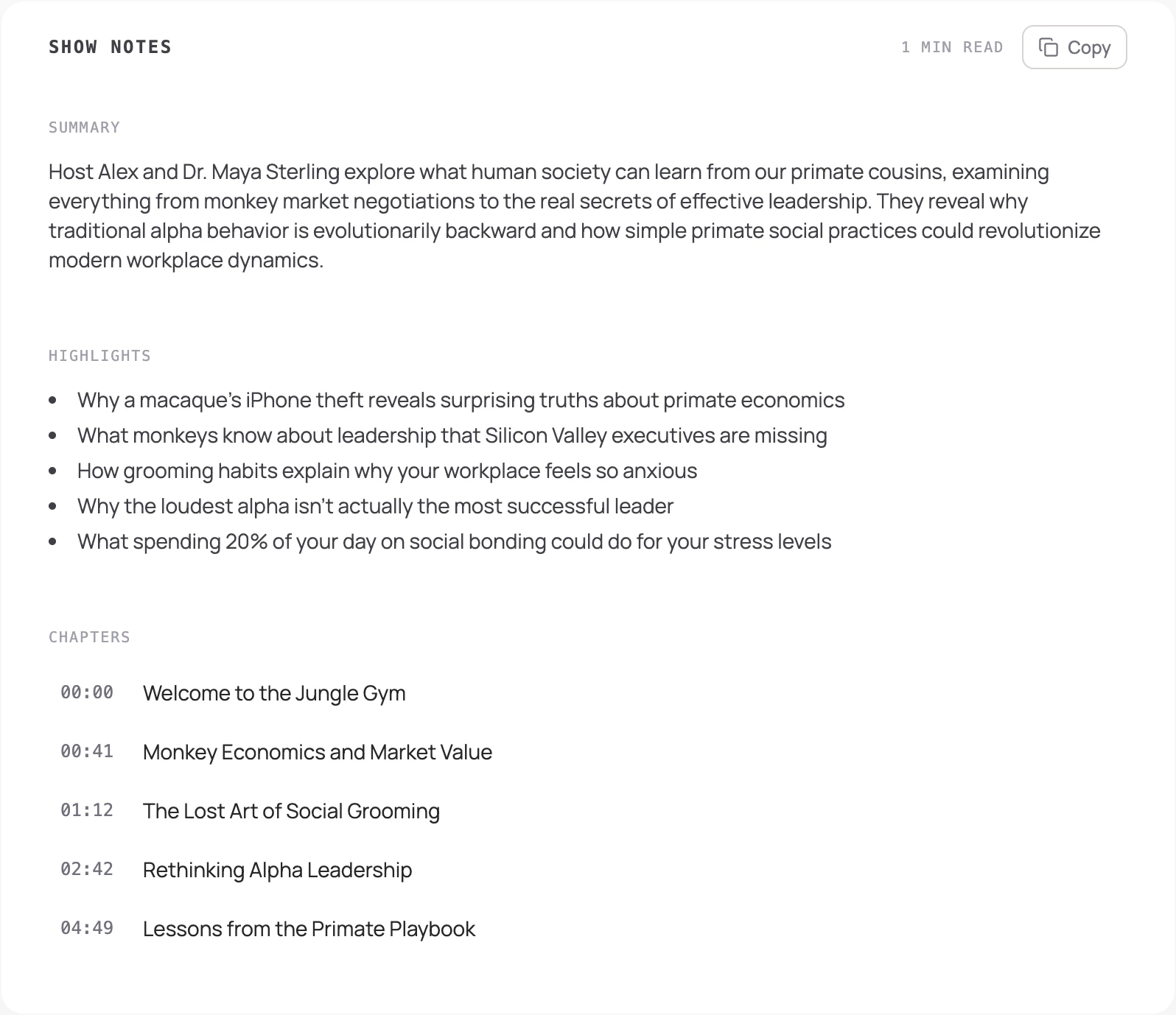
Three component types are AI-generated from your transcripts:
You can regenerate individual components if the content of your episode has changed since the last generation (e.g., you added or removed sections, made new edits).
How do I customize the show notes template?
Each show has a notes template that controls which sections appear and in what order. The default template includes Summary, Highlights, and Chapters, but you can add more. Static sections (written once per show, reused across episodes):- Host Profile: about the host
- Credits: production credits
- Disclaimer: legal or content disclaimers
- Subscribe Links: where listeners can follow the podcast
- Guest Profile: about the episode’s guest
- Resources: links and references mentioned in the episode
- Custom: any custom section you define (can be added multiple times)
How do I edit generated content?
After generation, all content is editable:- Click on a summary, highlight, or chapter to edit it inline
- Changes are saved to the episode and won’t be overwritten unless you explicitly regenerate
- Click Copy to copy your show notes to the clipboard. You can choose Full Show Notes (everything in your template) or Chapters Only (timestamped list for podcast descriptions)
Key Details
- Show notes require transcribed audio files. Generate transcriptions before generating show notes.
- AI-generated components (summary, highlights, chapters) are generated from transcript content.
- Static sections (credits, disclaimer, subscribe links, host profile) are configured once at the show level and shared across future episodes. Changing them won’t affect episodes you’ve already generated.
- Per-episode sections (guest profile, resources, custom) are unique to each episode.
- Generated content can be edited after generation without affecting future generations.
- Show notes generation has a usage quota on the Free plan. See Plans & Quotas for details.
Common Issues
“Transcription required” message when trying to generate All audio files in the episode need to be transcribed before show notes can be generated. Transcription happens automatically after upload, so wait for it to finish and try again. Generation is taking a long time Longer episodes with more transcript content take more time to process. Generation typically completes within a minute. Chapters have wrong timestamps Chapter timestamps are derived from your transcript’s word-level timing. If timestamps seem off, you can edit them by hand to get the exact timing you want.Related
- Editing Your Audio: transcription is required before generating show notes
- Assemble Episode: assemble the final audio file
- Plans & Quotas: show notes generation quota
- Concepts & Terminology: terminology reference