

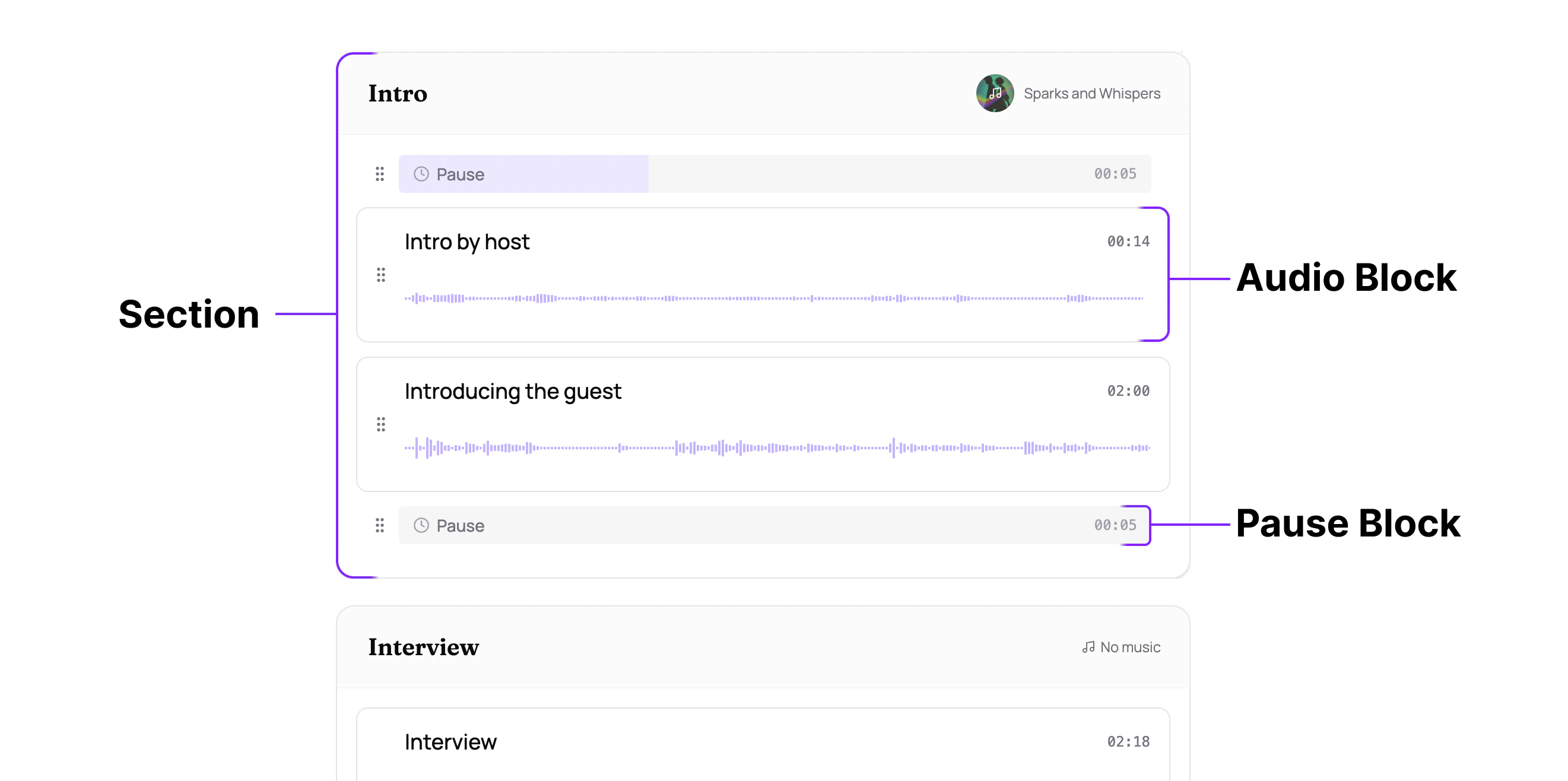
Sections
A section is a named container within an episode, for example “Intro,” “Interview,” or “Outro.” Sections are the top-level building blocks of your episode. You can drag sections to reorder them, and each section can have its own background music with independent volume, ducking, and fade settings. Think of sections like paragraphs in a document. You can rearrange them freely, and each one stands on its own.Audio blocks
An audio block lives inside a section and holds your actual audio content. This is where you edit: trimming, cutting, muting, and improving individual recordings. Audio blocks within a section play sequentially, one after another. When you upload a file, it gets placed into an audio block automatically. You can have multiple audio blocks in a single section. If your conversation was recorded with multiple tracks (e.g., separate microphones for host and guest), you can add multiple files to the same audio block. The files play in parallel, layered together, so everything stays in sync.Pause blocks
A pause block inserts silence for a specified duration. Use pause blocks to control pacing and rhythm between audio blocks, like a pause between an intro and the main content. They also work well with BGM fade ins and fade outs, giving the music space to breathe between sections.How they fit together
Sections play in order from top to bottom. Within each section, blocks play sequentially. You can drag to reorder both sections and blocks.Related
- Welcome to Henshu: overview of block-based editing
- Organizing Sections and Blocks: how to structure your episode in the editor
- Adding Background Music: BGM is assigned per section