

Overview
Henshu is a podcast creation platform built around block-based editing, a different way to think about audio. Instead of staring at a single long waveform on a timeline, you organize your episode as a stack of named blocks that you can rearrange, edit, and polish independently. Think of it like editing a document: you draft (record), outline (organize blocks), revise (edit within blocks), and polish (add music, improve audio, preview).What is block-based editing?
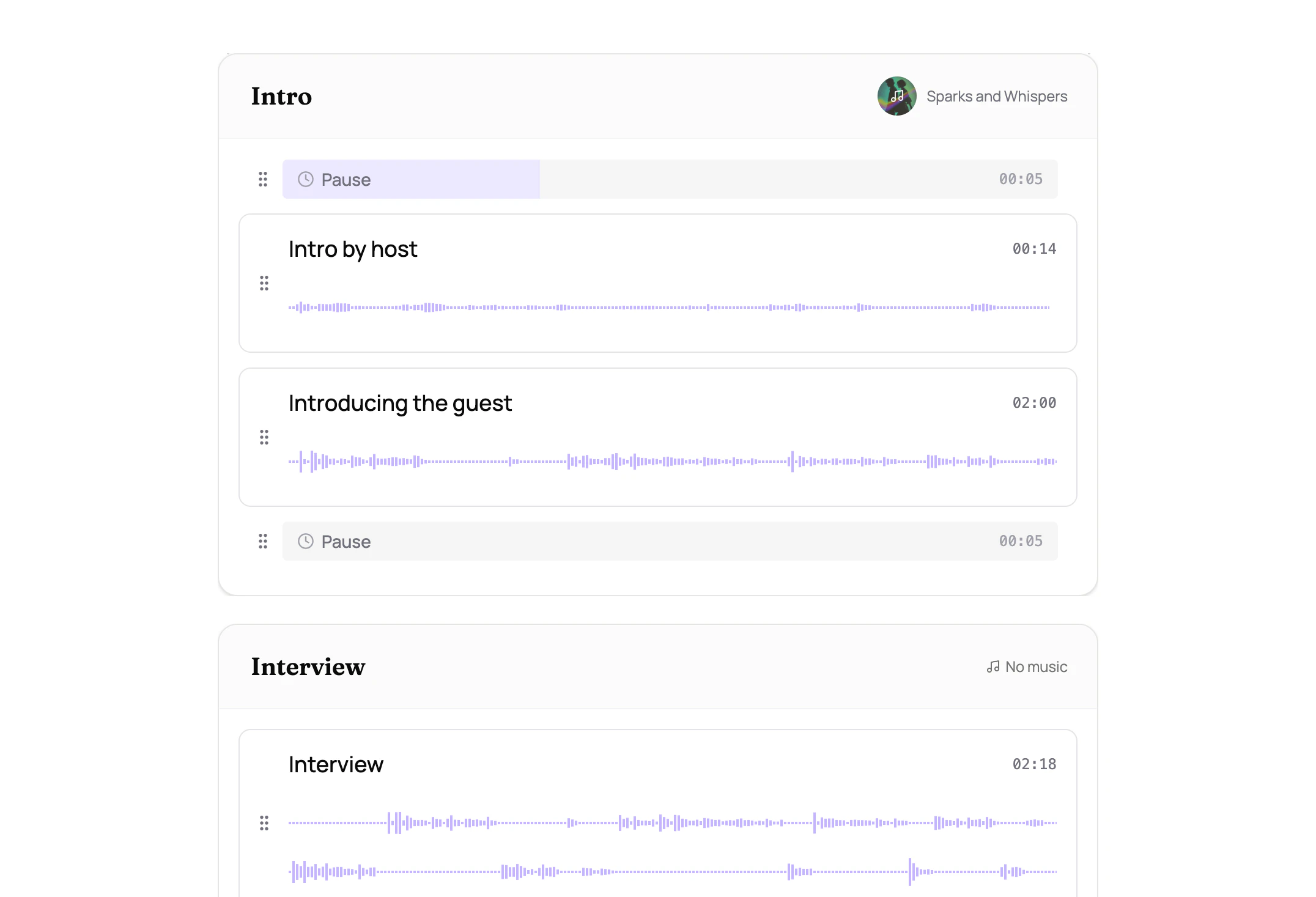
Traditional audio editors show your entire episode as one continuous waveform. A 45-minute interview looks like an undifferentiated blob. Everything looks the same, rearranging means tedious cut-and-paste, and you’re constantly zooming in and out. Henshu replaces this with blocks and sections:- Sections are the major parts of your episode: “Intro,” “Interview,” “Outro.” Each section is a named container you can drag to reorder.
- Audio blocks live inside sections and hold your actual recordings. You edit within each block independently (trimming, cutting, and improving) without affecting the rest of your episode.
- Pause blocks insert precise silence between audio for pacing and rhythm.
What else can Henshu do?
On top of block-based editing, Henshu gives you:- Transcribe and edit by selecting words, like editing a document (text-based editing)
- Clean up recordings with one-click noise reduction and volume leveling (AI audio improvement)
- Add music to individual sections with smart looping, volume ducking, and fade controls
- Automatically generate summaries, highlights, and chapters from your episode content (show notes generation)
- Assemble everything into a single, polished audio file ready to publish
How Henshu works
The typical workflow follows these steps:- Create a show. A show is your podcast series (e.g., “My Weekly Podcast”).
- Create an episode. Each episode lives inside a show.
- Upload your audio. Drag and drop your recordings into the episode.
- Organize into sections and blocks. Structure your episode by naming sections and arranging blocks.
- Edit. Trim, cut, and mute within each block using the waveform or transcript.
- Improve and add music. Optionally improve audio quality and add background music per section.
- Generate. Henshu assembles your blocks into a final audio file.
- Download and share. Get your finished file and publish it wherever you host your podcast.
Next steps
Key concepts
Learn the terminology used throughout Henshu: shows, episodes, sections, audio blocks, and more.
Create your first episode
Follow a step-by-step walkthrough from creating a show to downloading your finished episode.
Related
- Concepts & Terminology: definitions of all Henshu-specific terms
- Your First Episode: step-by-step walkthrough
- Plans & Quotas: understand your plan’s limits